
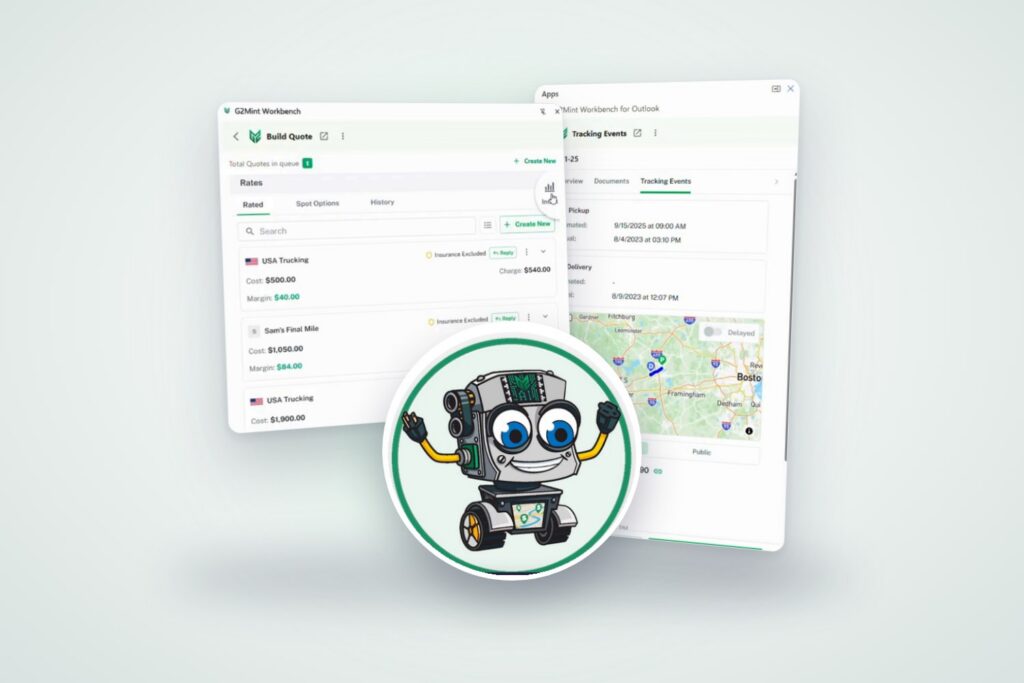
Most freight work starts in an inbox, not a TMS. G2Mint Workbench brings freight automation to Gmail and Outlook, so you can quote, book and track without switching screens.
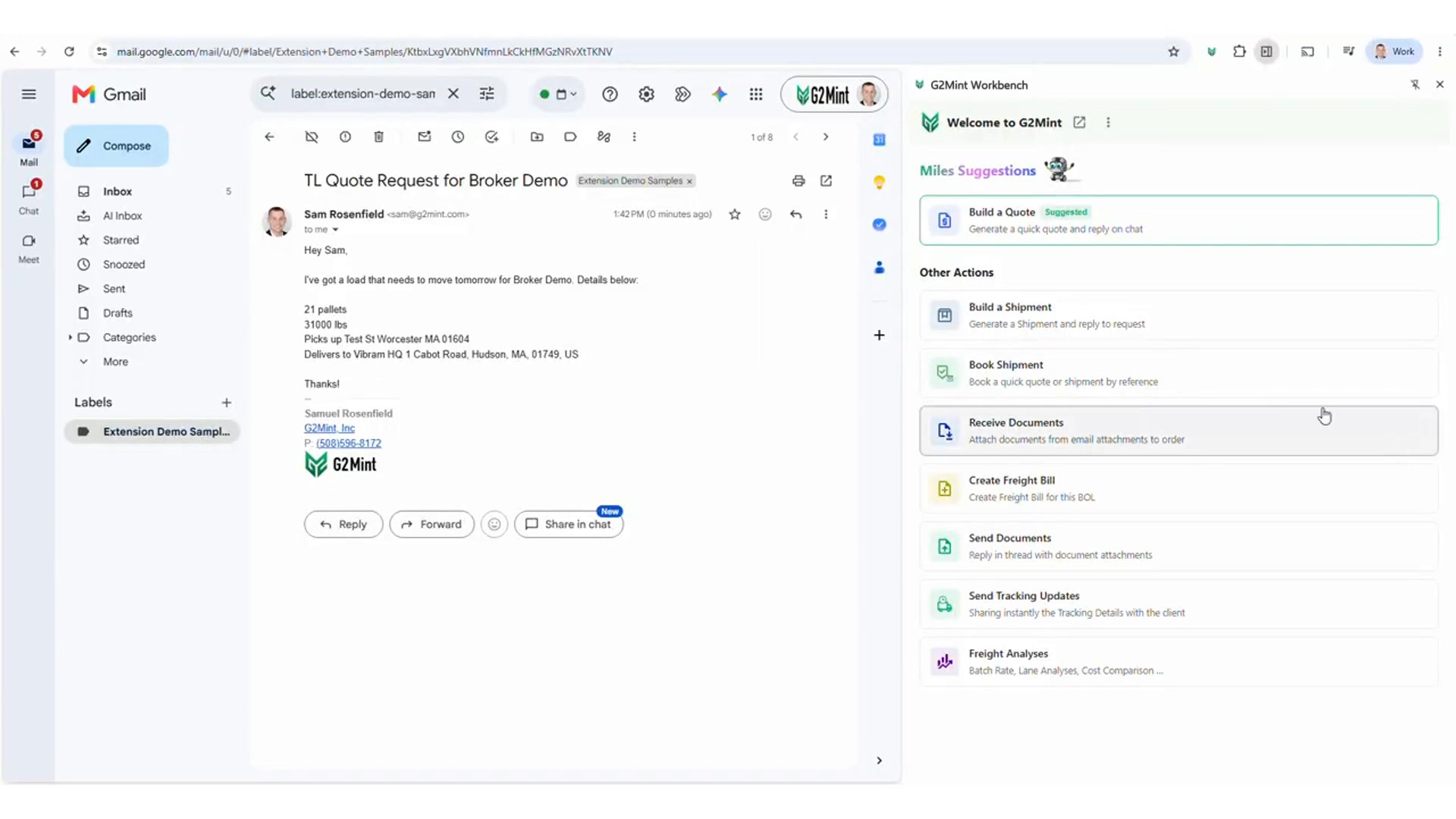
It’s 4:45 on a Thursday. A customer needs a truckload rate for tomorrow morning, and the request is sitting in your inbox: 21 pallets, 31,000 lbs, Worcester to Hudson.
You know the drill. Copy the addresses into the TMS. Open another tab for rates. Check what you paid on that lane last month. Write the reply. Hope you didn’t mistype the weight.
None of it is hard. It’s just slow, and it happens dozens of times a day.
Why freight still runs on email
For years, freight tech has tried to move work out of the inbox with customer portals, load boards and logins nobody remembers. They all have their place. But when a shipper needs a truck tomorrow, they still send an email. So do brokers chasing capacity, and carriers sending over a proof of delivery (POD).
“Most shippers prefer email for quoting and booking freight.”- FreightWaves/Echo Global Logistics 2025 shipper survey
We stopped seeing that as a problem to solve. Email is how this industry works. The real question was how to make it work with the rest of your systems instead of beside them.
What G2Mint Workbench does
G2Mint Workbench is a side panel that sits next to your inbox in Gmail and Outlook. It connects your freight emails to your G2Mint account, so the work an email kicks off can happen right there in the thread.
Open an email, and Workbench gives you the actions you’d normally switch between systems for:
- Build a Quote: pull carrier rates, see your margin, and draft the reply
- Build and book shipments straight from the request
- Receive and send documents, such as bills of lading (BOLs), proofs of delivery (PODs) and rate confirmations, filed to the right order
- Create freight bills from carrier invoices
- Send tracking updates with a live link for your customer
- Run freight analyses, including batch rates, lane analyses and cost comparisons
Meet Miles: AI that reads freight emails for you
Open a freight email, open Workbench beside it, and Miles, our AI Freight Assistant, has already read it.
He’ll suggest what to do next. For that Thursday rate request, it’s Build a Quote. Click it, and the origin, destination, pickup date, pallet count and weight are filled in for you. If he matches a pickup location to one in your saved list, he flags it so you can take a quick look before moving on.
No copying, no pasting, no second tab. That’s what freight email automation should feel like.
Freight quotes in Gmail and Outlook, without the guesswork
When you hit Get Rates, you see your carrier options with cost, charge and margin side by side. That way you know what you’re making before you send anything.
You can flip between your contracted rates, current spot options, and your history on that lane. History shows what you’ve actually paid and which carriers you keep coming back to. DAT RateView benchmarks sit right there too, if you want to check your number against the market.
Pick a carrier, click Reply, and the quote is drafted in the same thread. Read it over, tweak it if you like, and send. You’ll make that 5 p.m. deadline with time to spare.
Want to see it on your own lanes? Book a 15-minute Workbench demo
Freight tracking updates, answered from the inbox
“Any update on my load?” If you’ve worked in freight for more than a week, you’ve answered this email a thousand times.
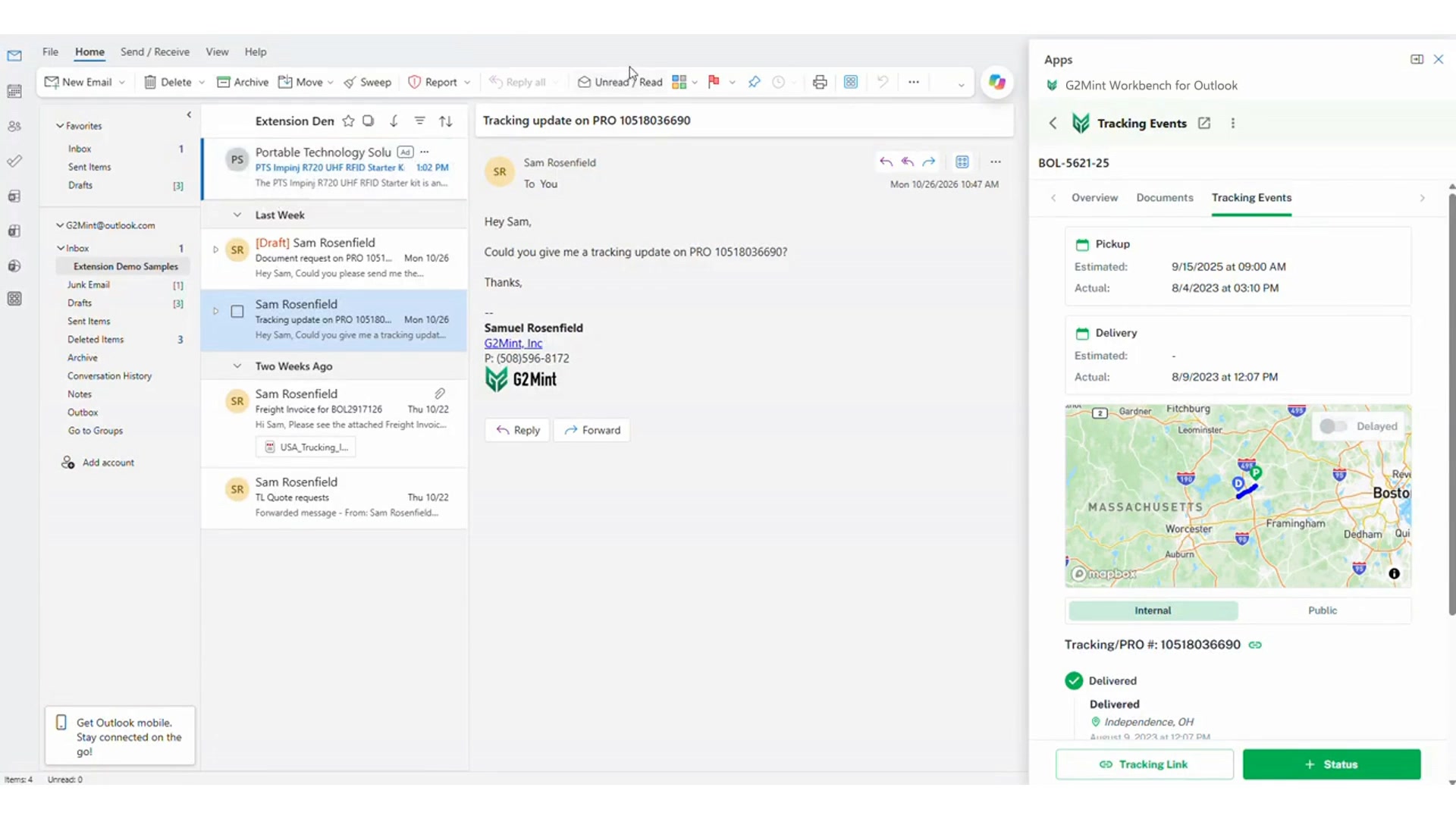
In Workbench, Miles finds the shipment by PRO, BOL or load number and shows where it is on a map, along with pickup and delivery times and the current status. One click sends the customer a tracking link right in the thread. Next time, they can check it themselves.
What we think AI in freight should do
There’s a lot of noise about AI in logistics right now. Our view is pretty simple. Let AI handle the repetitive work so your team can focus on what they do best: moving freight.
For us, that means three rules. AI should work where your team already works, not in yet another app. It should suggest the next step, not take it for you. And a person should always hit send, because your customer relationships are yours.
That’s how we built Miles, and it’s why Workbench lives in your inbox and not in another login.
Back to Thursday at 4:45
Same email, same deadline. This time Miles has already read it, the rates are in front of you, and the reply is drafted before you’ve finished your coffee.
That’s what we mean when we say let Miles do his job, so you can do more.
See G2Mint Workbench in action → Book a 15-minute Workbench demo
Frequently asked questions
What is G2Mint Workbench?
G2Mint Workbench is an extension for Gmail and Outlook that turns freight emails into quotes, shipments, bookings, freight bills and tracking updates. Miles, G2Mint’s AI Freight Assistant, reads each email and fills in the details.
Does G2Mint Workbench work in Outlook?
Yes. Workbench works in both Gmail and Outlook, including the Outlook desktop app.
Who is G2Mint Workbench built for?
Freight brokers, 3PLs and forwarders, shippers, and carriers: any freight team whose work starts in an inbox.
Do I review everything before it’s sent?
Yes. G2Mint Workbench drafts the reply in your email thread. You review it and hit send.
Will G2Mint Workbench have an extension for spreadsheets?
Yes. G2Mint Workbench is coming to Google Sheets and Microsoft Excel very soon.